
Private Medical Laboratory Software
Private Medical Laboratory Software is a Laboratory Information System properly developed for the operations of private laboratories. It allows laboratory personnel to capture, migrate, process and interprete data for immediate use. That way the Laboratory software helps to manage the workflow and maximize the efficiency of operations.
Technological developments have made laboratory equipment more interactive. Networks of integrated laboratory devices, computers, and telecoms log, analyze, and distribute data. This has enabled diagnostic tests to move from a localized to an internet model.
Laboratory Software helps medical personnel to spend less time collecting data. In turn, it allows personnel to focus more on the work at hand. It also makes the diagnosis both faster and more efficient. This lead to laboratories requiring more robust and scalable data management systems, to stay competitive.
Laboratory Software has a lot of Capabilities
In the context of Public Health Laboratories, the Association of Public Health Laboratories has identified 19 areas for self-assessment of laboratory informatics in their Laboratories Efficiencies Initiative.
- Laboratory Test Request and Sample Receiving
- Test Preparation, LIMS Processing, Test Results Recording and Verification
- Report Preparation and Distribution
- Laboratory Test Scheduling
- Prescheduled Testing
- Specimen and Sample Tracking/Chain of Custody
- Media, Reagents, Controls: Manufacturing and Inventory
- Interoperability and Data Exchange
- Statistical Analysis and Surveillance
- Training, Education and Resource Management
- Laboratory Certifications/Licensing
- Quality Control (QC) and Quality Assurance (QA) Management
- Laboratory Safety and Accident Investigation
- Laboratory Mutual Assistance/Disaster Recovery
- Core IT Service Management: Hardware, Software and Services
- Policies and Procedures, including Budgeting and Funding
- Billing for Laboratory Services
- Customer Relationship Management
The key is having the right technology infrastructure. The Laboratory Information System ‘MediLab LIS’ is a unique tool for monitoring and optimal handling of all procedures of your laboratory. It offers the ability to cover all activities of the lab in a robust manner.
‘MediLab’ has a proven record of continuous development and a successful business course for more than 40 years.
Features and Properties of ‘MediLab’
The features and properties of the ‘MediLab’ Laboratory software are extensive. They cover all the functions of clinical laboratories in multiple ways and methods. Through its properties, the laboratory system “MediLab LIS’ has a particularly strong adaptability. It is parametrically adapted to the way each laboratory operates.
Laboratory types
MediLab LIS, manages the diverse needs across of all types of private medical laboratories. These include BioChemistry, Hematology, Coagulation, Virology, Immunology, Serology, Toxicology, Urinalysis, Microbiology, Molecular Biology, Cytogenetics, Flow Cytometry, Anatomic Pathology, Cytology and others. Flexible workflow tools of ‘MediLab LIS‘ automate clinical test order processing through the entire order life cycle.
Management of daily work
- Ordering tests
- Distribution to laboratories
- Scheduling of tasks
- Connection to analyzers with barcode and/or with work lists)
- Management, control, distribution of results.
- Communications and data exchanges
The Software exchanges data with other systems of the Health Unit’s Information System. These data include the transfer of patient demographic data, possible health data and ordered tests and results that will update the medical record.
The system connects the existing analyzers of the laboratory. It fully exploits all communication capabilities. It supports both, one-way or two-way communication, use of barcode, quality control, communication checks like digit control, etc.
Patient manager
The Patient Manager module provides convenient access to all available laboratory test/result data. It encounters details, charges and billing information, attached documents and files, clinical history, and demographic detail. It also includes family relationships.
Test Orders
The management of incoming orders (test orders) is done in a unified manner. The LIS allows the definition of test orders for all categories of tests. It offers many different ways depending on the conditions of the Diagnostic Center. The definition method can be centralized (central secretariat) or multiple ordering points.
Decentralized test ordering is done through the system. This feature concerns the online ordering of laboratory tests from any point. It can be e.g. the secretariat of the Radiology laboratory or the secretary or the doctor of a specific specialty. In case for any reason it is not possible to temporarily register the order through the ordering system, then the system implements the process through the central secretariat.
Order numbering
Each order has a unique order number. The Laboratory Software MediLabregisters all the necessary demographic or other data for the full execution of the order. It is automatically updated via the patient’s social number, by data obtained from the National database. In case that communication is not possible, the system is able to operate autonomously.
In order to make this functionality possible, the laboratory system can use any different code the patient has. At the same time, it provides a search for previous laboratory results with multiple criteria.
Barcode labels
The software MediLabprints the sample labels (plain or with barcode) if they have not already been printed by the order issuance system. It is possible that an order has more than one type and number of samples. The sample number in combination with the type of sample (e.g. Blood, urine, etc.) create a unique order.
Order registration
A configurable order management, specimen collection, and accessioning tools, address a variety of situations. Among these are manual order entry, CPOE via interface with HIS or EMR, interface with another LIS, and import of batch order file. Other integrated features include sample collection/phlebotomy, built-in tools to capture ICD10 codes with medical necessity checking, recurring orders, cloning and merging orders, double data entry, question forms, and label printing.
The LIS System offers a number of software features for managing Phlebotomy/sample collection activities. The features can be set-up to suit the needs of different order processing scenarios. For instance, routine ward collection rounds and the relatively ad-hoc phlebotomy operations at an outpatient clinic.
Order registration ensures the following rules:
- The patient’s registration number is common to all samplew and orders, so all the tests can be grouped by patient.
- Each patient can have more than one sample ID code within a day.
- The laboratory software provides security during registration in terms of data accuracy.
- Identity errors are avoided both in the test order and in the identification of samples.
- Ability for authorized persons to transfer test orders and results from patient to patient in cases of duplicate registrations (merging of patients).
- Each order is accompanied by the details of the ordering physician, as well as the details of the user who registered it (user code, date, time).
- The origin of the examinee (e.g. referring physician) is recorded and follows the registration details.
- There is a special label for urgent examinations.
- Upon validation of the registration, the system distributes the examination orders to the processing areas and the corresponding medical devices, while providing the necessary information for the movement of the samples.
- After the preparation of the samples, the system determines which samples are excluded from further processing and for what reason.
Phlebotomy operation
There is a flexible presentation and grouping of phlebotomy activities, e.g. by Nurse, Phlebotomist, Practitioner etc. Seamless integration of phlebotomy operations with Order processing. Comprehensive information about sample types, sample volumes, specimen collection tubes, storage conditions etc. exist in the original test order.
There is a positive patient and order identification prior to sample collection. There is also a capability to schedule phlebotomy operations according to priority and pre-defined, hospital specific collection plans. Additionally there is an automatic printing of specimen labels and collection sheets in batch or at the point of collection.
Barcodes printing – handling
The software supports any Windows compatible barcode scanner or printing device. It prints on the barcode label in human-readable font the necessary data, available in the data base.
Analyzer Connection
MediLabis interfaced to the analyzers with full exploitation of all features:
- Two-way communication and communication in query mode where this is supported.
- In one-way communication, the system takes the necessary measures for the identification of the sample – examinee and the general ecurity of the system.
- Recording of results that do not correspond to system orders in a special log file per analyzer.
- All features offered by the respective communication protocol with the analytical device are exploited.
- The user controls both the communication status and the progress of the analyses.
Test Controls
Test controls include a wide range of different processes that culminate in their validation. The most important tasks are:
- Flagging incomplete tests.
- Calculation of the result (in case of calculated tests).
- Unacceptable values, outside normal limits or outside panic limits.
- Checking batch control values.
- Test anomalies (via parametric control file).
- Checking average values per test in previous days – comparison with current results to check the reliability of the machines and reagents.
- Group intervention possibilities on results after recording the intervention in the database (audit trail). The modification is made based on the deviations due to the analyzer – reagent. Such corrections are made in exceptional cases and only by an authorized user.
- Final validation of the results and forwarding for printing – distribution. The validation of urgent examinations is followed by a special audio or visual signal to the ordering physician or the registration workstation.
Results management
- When managing results, i.e. when entering, correcting, changing status (approval, re-examination, etc.), the user simultaneously sees on the screen the previous values of the results of all the sample tests.
- Approval and release of results of part of the order up to the test level and not necessarily of the entire sample or order. The result is that it is not necessary to execute the entire order, or all the tests of the sample in order to print an already ready and approved result of the sample or order.
- Possibility of entering both quantitative and qualitative results or both simultaneously in the tests in distinct positions.
- Unified coding of sample type (blood, urine, etc.).
Result automation
User-configurable algorithms for evaluating the quantitative result and its automatic conversion (or addition) to a qualitative result. The algorithms are configured for each analyzer separately. Consequently, the laboratory software allows, through appropriate parameterization, the definition of algorithms. These convert the quantitative result of a test into the corresponding qualitative one (characterization e.g. NEGATIVE).
The diagnostic laboratory software MediLaboffers unified test coding. This concerns all tests ordered such as individual, complex, calculated and groups of tests (e.g. Checkup). It synchronizes and correlates the codes of the information systems (e.g. by maintaining multiple test codes in the laboratory system). In addition, it has the ability to automatically extract findings based on the evaluation of one or more related tests.
Culture stages
The laboratory software, specifically for the Microbiology Laboratory, monitors the intermediate stages of the cultures. The workflow for each examination is parametrically defined by the laboratory physician. Consequently, it allows the definition and monitoring of the distinct steps for the completion of the culture processes. During this process takes into account any specificities and differences that exist in the existing flow of Microbiology Laboratories.
Profiles
The MediLab Laboratory Software allows the organization of tests into groups (profiles), so that many can be selected in one go. These profiles are defined by an authorized user only. An analytical exam can belong to more than one profile.
Test characteristics
The basic characteristics of analytical tests (beyond the obvious, such as description, unit of measurement, etc.) are:
- Result type: Numeric, Alphabetical, Date, Text (free or pre-designed), Selected values (per test), Image.
- Refference values: Defined by age and gender, pregnancy phases, menstrual cycle, age groups as well as with broader explanatory text.
- Flags: unacceptable values, panic values, values outside normal limits.
- Sample type (serum, urine, etc.)
- Reagents used (code, quantity, reference values)
- Calculation type (for calculated tests)
The software addresses the issue of changing the calculation method (chemistry) of a reagent in a test. This way, the accuracy of the data is not altered when an examination is performed by two or more analysers with different reagents.
Organization of test batches
Samples are organized into batches per machine, depending on their type, the existence of the necessary reagents, their scheduling, etc. This division is the basis for organizing work in the laboratory and contributes to saving reagents. The laboratory software controls the type and number of pending tests at the daily procedure level. In combination with the required reagents, it proposes a flow plan for the analyses.
Parametric test control rules file
The software includes rules that interconnect the relevant tests, the price relationships between them, as well as any messages from medical devices. The aim of this file is to help draw conclusions regarding the correctness of the results, while also providing some useful medical information.
Sample and tests Management
MediLab LIS provides many an automatic mechanism for sample identification, based on ordered test. Data entry is permitted in any case but it is mandatory for microbiological samples. These all provide the ability of a quick and efficient data entry for both single and multiple samples. A variety of styles and screens allow the lab to optimize the tests/sample registration process. Order tests per sample, using configurable templates allow the appropriate data fields to be available in an easy way.
Quality Control
The QC management tools that MediLab LIS software features include, are Westgard rules and Levey- Jennings plots. Additionally, include all the reagents management details, like lot and expiry dates.
Result Entry
MediLab LIS provides extensive capabilities that effectively streamline and reduce transcription errors in result entry. Automated result entry is provided via analyser connection and barcode system. More than bidirectional interfaces to the laboratory instrument, MediLab application provides key-in result entry option. There is also a flexible mechanism to support group samples and tests together so that they can be worked on collectively.
Samples and tests can be individually selected and results entered, as well as multi-selected and results entered in a spreadsheet format. For ease of operation, results can be entered using different layouts arranged by sample ID as well as by test. In addition to this, there is filtering of tests so that large result entry spreadsheets can be easily worked on test by test to simplify data entry.
External patient file Linking
Sometimes it is necessary to associate LIS data with information stored in files- perhaps raw data files, graphics images, or document files. ‘MediLab LIS‘ provides links between all database records and external files. It also can import external files and store in the database. The presence of a link to an external file is indicated by an icon on screen. The external file can be virtually any format. Then the LIS may display the contents of the external link file simply by a click.
Re-examinations
The system is able to highlight identical re-examinations per examinee, so that the user can ultimately choose one of them.
- Possibility of executing repeats or pending examinations on another analyzer than the original one. It is supported if a test can be performed on more than one analyzer.
- Urgent tests are given priority in execution. If the analyzer has the ability to schedule and execute urgent tests, they are scheduled as STAT.
Classifications for Result Management
The MediLab software supports the management of results in various ways to facilitate users in their handling. In these groupings, it is particularly useful to have “filters” for the laboratory and the date range. Groupings can be per sample, per Examination, per Patient, per referral. The distribution of results also includes sending data for further updating the medical file.
Results Printouts
The printing of results is done in various ways, per examinee, with a range of patient codes, per type of examination, per profile, etc. The printing forms provide complete freedom to users regarding their formatting (text format, images, graphs, headers, footers, etc.). The system has the ability to display graphic diagrams and allows data to be exported to third-party office automation applications.
Reporting
MediLab provides many reporting options. Any data in the MediLab database is available to be included on a report. The used report rendering tool is Business Objects’s Crystal® Report. In addition, MediLab LIS can generate reports directly with Microsoft Excel® and Word®. It also can generate HTML reports by using an HTML report template.
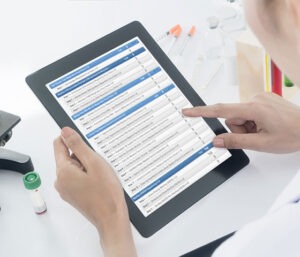
The reporting engine manages, according to the preference, the format/template for preliminary and final reports. Also it may include reporting units, report delivery time, and mode of delivery.
- Detailed data on the traffic volumes per treating, referring physician.
- Aggregated data on the traffic volumes per physician.
- Comparative data by time periods.
- Finding the history of orders and results
- Displaying the origin of the examinee.
- Presentation of the doctor who ordered the tests, the user who entered the order
- Viewing the laboratories and machines that performed it
- Identification of repeat results and the user who defined them
- Display of results by test and time, user or machine that entered or validated them
- Viewing the prices of the controls of the machines that correspond to the tests of the specific patient
Informing medical – scientific personnel
- Quality control of measurements of diagnostic systems.
- Statistics of test value fluctuations
- Control and processing of medical device messages
- Correlations of tests to identify any anomalies or other problems.
- Long-term monitoring of a patient’s results.
- Support for research projects.
Billing – Financial data handling
The integrated Charge Manager module accumulates charges to invoices according to pricelists. Depending on the requirements, the system can review, adjust if necessary, print, and close invoices accordingly. Other features include volume discounting, managing local tax requirements for pricing and invoicing.
- Management of test price lists, discounts, test packages
- Insurance funds – Cost Participation
- Private Insurance
- Invoicing
- Interface with E.R.P.
- Analytical and aggregated data.
Customization
MediLab has a multitude of parameters that allow it to adapt to the way the laboratory works, without requiring additional code from programmers. Therefore, a multitude of possible variations in the organization and operation of laboratories according to the ‘MediLab’ specifications are addressed by changing the parameters.
User Authorization
MediLab LIS system can track individual user authorization on a test or a specific laboratory analyzer or whole lab section. Enforces that only certified users enter or review results. A user with the proper authorisation can run an analysis or to Approve or Release the final results.
External Lab Stakeholders web site
The laboratory system supports web site access to all tests order, status and results for customers and other external lab stakeholders. The Rules Engine enables alerts and send emails automatically to predefined external stakeholder.
The most technically advanced
MediLab LIS has been the most technically advanced Laboratory Information Management System since its introduction to the Greek market. It constantly continues to hold that position today. Your business will benefit from capabilities such as browser-based deployment, external-facing web site, and fully configurable web services. The LIS system is infinitely scalable, and is as suitable for enterprise labs with thousands users. The analyzer integration software is built in, and hundreds of pre-existing analyzer drivers are available.
It also provides powerful, configuration tools, so you can adapt the software to end-user requirements without compromising support or future upgrades. To help you gain the most rapid possible ROI, MediLab LIS also offers proven, pre-configured implementation templates. These Template Solutions are designed to suit the requirements. Therefore it helps to rapidly implement systems with low configuration effort and therefore less project costs.
Implementation
Our implementation process itself encourages knowledge transfer. So, that you can easily modify and extend the LIS as your needs evolve. A key attribute of any technically advanced laboratory information system is an avoidance of platform or brand dependencies.
This affords you the benefit of choice and technology fit with respect to hardware, operating systems and databases. MediLab LIS is viable with relational database such popular ones as Oracle and SQL Server.
Deployment is possible in a range of topologies and user interfaces. The LIS supports centralized, decentralized or regionalized installations. Deployment in a zero footprint browser, or as a thin client, as a thick client or in any combination of these. All of them have practical application, depending upon your circumstances. MediLab LIS supports desktop workstations, tablets and smartphones.
Facing the challenges
Laboratory equipment is now more interactive, due to technological developments. This development allows the use of large networks of integrated laboratory diagnostic and information systems. The result is the movement of diagnostic tests from a local model to an internet model. It is now an absolute laboratory necessity to provide competitive TAT times, the reliability of the results as well as customized final reports and findings. In addition, the ability to control production costs is absolutely necessary in order to achieve the best possible ROI.
Ultimately, the key to addressing these challenges is the right technological infrastructure. MediLabis a robust management platform for medical laboratories, adapted to real needs. A platform that covers all the activities of the modern laboratory. CCS is the leading laboratory software manufacturer, with hundreds of installations locally and abroad.
Replacing your LIS
To conclude, MediLab LIS Software Features contain everything that a laboratorian would expect from an advanced laboratory software system. if your existing laboratory software is no longer satisfactory, or the LIS platform is not compatible with the newer operating systems, then you can rely on ‘MediLab LIS‘. The system will deliver a proven, modern and comprehensive replacement for your business. In fact, many companies find that the cost of maintaining or upgrading an existing inferior system actually exceeds the investment needed to replace it with MediLab.
CCS has extensive experience replacing other vendor’s legacy systems. You can count on us to provide a flexible and upgradeable system that delivers compelling results at a less cost. Many customers who purchased MediLab products thirty or more years ago, are running up-to-date systems that still meet their requirements.
Once a MediLab customer, always a MediLab customer

